The new BOOKKEEPING service: https://bookkeeping.cern.ch/
To access the old one, please follow the instructions below:
If you want to connect from outside CERN:
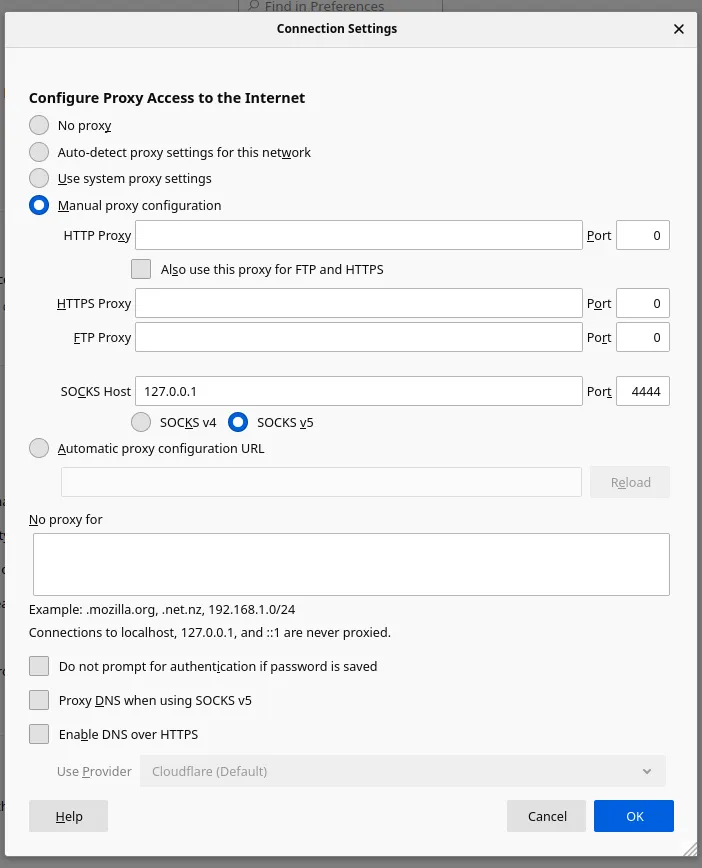
- create a tunnel with ssh. To do so, in a terminal execute the following command: ssh username@lxplus.cern -D4444
- in the firefox browser go to “Preferences” and in General tab scroll down to “Network Settings” and click “Settings…”
- set the Connection Settings as shown in the picture below: